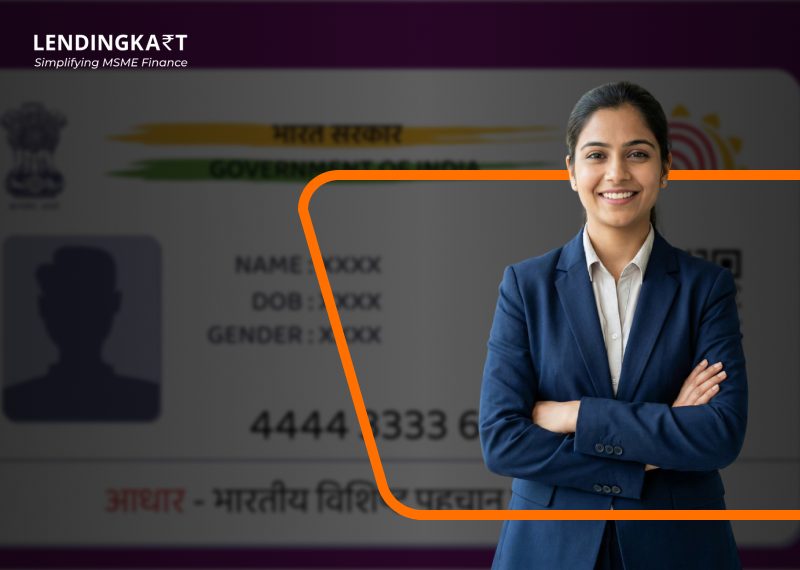
An Aadhaar card is an official identity proof accepted everywhere in India. Keeping a digital copy of your Aadhaar card on your phone makes everyday tasks much easier. As an individual or as a businessperson, you will need this document to open bank accounts, file taxes, apply for business loans, and complete official checks without physical documents. This guide covers how to download your Aadhaar card, open the password-protected file, and fix common download issues.
What is an Aadhaar Card and Why is it Needed?
An Aadhaar card is a 12-digit unique identification number issued by UIDAI that acts as your official proof of identity and residential address.
An Aadhaar card is useful in several everyday situations. Business owners and independent contractors require Aadhaar for instant KYC verification while opening bank accounts, completing GST filing, clearing trade approvals, and securing digital loans.
Here is a list of reasons why Aadhaar is an essential document:
- To complete KYC for banks, wallets, or financial services
- While applying for loans or other financial products
- To access government schemes and online services
How to Download Aadhaar Card Online?
Aadhaar card download online can be easily done through myaadhaar.uidai.gov.in using three methods. First of all, head to the myaadhaar site, select the Download Aadhaar option, and choose your preferred identifier such as your 12-digit Aadhaar number, 28-digit Enrolment ID, or 16-digit Virtual ID. Then solve the security CAPTCHA and click on the Send OTP option. Enter the code sent to your registered number into the column to complete verification and to get your e-Aadhaar in a password-protected PDF file.
How to Download Aadhaar Using Aadhaar Number?
You can easily download your e-Aadhaar online through the UIDAI portal using your Aadhaar number. Here’s how:
- Step 1: Go to the UIDAI website and click on the Download Aadhaar option.
- Step 2: Select the Aadhaar Number option and enter your Aadhaar number. Complete the CAPTCHA verification.
- Step 3: Click on Send OTP, and an OTP will be sent to your registered mobile number. Enter the OTP to complete verification.
- Step 4: Once the verification is successful, your Aadhaar card will be available for download in a PDF format.
This method is one of the most commonly used ways for Aadhaar card download online, as it is quick, simple, and fully digital.
How to Download Aadhaar Card Using Enrolment ID (EID)?
If your Aadhaar is newly generated or you only have your enrolment slip, you can easily download your e-Aadhaar using the Enrolment ID (EID). Here is how:
- Step 1: Go to the UIDAI MyAadhaar portal and select the EID option
- Step 2: Enter your 14-digit Enrolment ID along with the date and time mentioned on your enrolment slip
- Step 3: Complete verification using the OTP sent to your registered mobile number
- Step 4: Download your e-Aadhaar card in PDF format, and you are done
How to Download Aadhaar Card Using Virtual ID (VID)?
If you do not want to use your Aadhaar number to download your Aadhaar card, you can use your Virtual ID (VID) instead. Here is how:
- Step 1: Select the VID option on the UIDAI portal
- Step 2: Enter your 16-digit Virtual ID
- Step 3: Use the OTP on your registered mobile number to complete verification.
- Step 4: Download your Aadhaar PDF and enjoy
How to Download Aadhaar Card Using mAadhaar App?
You can download your e-Aadhaar using the official mAadhaar app, which allows you to access your card anytime on your mobile. To use this service, ensure that your mobile number is registered with UIDAI, as OTP verification is required for security purposes.
- Step 1: Install the official mAadhaar app on your smartphone and log in using your registered mobile number
- Step 2: Go to the Get Aadhaar section and tap on Download Aadhaar
- Step 3: Choose the type of Aadhaar you want to download – Regular Aadhaar or Masked Aadhaar
- Step 4: Select your preferred method of identification, such as Aadhaar Number, Virtual ID (VID), or Enrolment ID (EID)
- Step 5: Enter the selected ID along with the security CAPTCHA code and tap on Request OTP
- Step 6: Enter the OTP received on your Aadhaar-registered mobile number and click on Verify
- Step 7: Once verified, tap on Open/Download to save your e-Aadhaar in PDF format on your device
How to Download Aadhaar Card Through the UMANG App?
You can easily download your e-Aadhaar card through the UMANG app. This method is secure, fast, and requires your Aadhaar-linked mobile number for OTP authentication.
- Step 1: Download and open the official UMANG app on your smartphone or visit web.umang.gov.in
- Step 2: Go to the All Services section and select My Aadhaar
- Step 3: Under Aadhaar services, tap on the Download Aadhaar option
- Step 4: Enter your 12-digit Aadhaar number and the CAPTCHA code shown on the screen, then click on Login with OTP
- Step 5: Enter the OTP received on your registered mobile number and proceed by clicking Verify/Login
- Step 6: Once verification is successful, your Aadhaar details will be displayed on the screen
- Step 7: Click on the download icon to save your e-Aadhaar in PDF format, and you can also choose the option to download a Masked Aadhaar for added privacy
How to Download Aadhaar Card Using DigiLocker?
DigiLocker is a secure cloud-based platform by the Government of India that allows users to store and access important documents digitally. To download Aadhaar from DigiLocker, your account must be linked to your Aadhaar number.
- Step 1: Visit the official DigiLocker website https://digilocker.gov.in/ or open the DigiLocker mobile app
- Step 2: Click on Sign In and choose your preferred login method (Mobile Number, Username, or Aadhaar Number)
- Step 3: Enter your credentials along with your 6-digit security PIN to access your account
- Step 4: Once logged in, go to the Issued Documents section on the dashboard
- Step 5: Look for e-Aadhaar issued by UIDAI and click on the download or save icon
- Step 6: Your Aadhaar will be downloaded and saved in your DigiLocker account for instant access anytime
How to Print Aadhaar Card After Downloading?
Once you have downloaded your e-Aadhaar from the official UIDAI portal, you can easily print it for offline use such as KYC, banking, or identity verification.
- Step 1: Open the downloaded e-Aadhaar PDF file on your device using any PDF reader such as Adobe Acrobat or a built-in PDF viewer
- Step 2: Enter the 8-character password to unlock the file. The password format is:
First 4 letters of your name in CAPITAL letters + your Year of Birth (YYYY) - Step 3: Once the PDF opens successfully, click on the Print option in the PDF viewer
- Step 4: Select your printer, choose the number of copies, and ensure A4 paper size for proper formatting
- Step 5: Click on Print to get a physical copy of your Aadhaar card
Read More : How to do Aadhar card seeding Online
What to Do if You Cannot Download Aadhaar Card?
While downloading Aadhaar online is usually smooth, users may sometimes face a few common issues during the process, such as a failed download, incorrect details, OTP generation failure, or their Aadhaar and mobile number not being linked.
OTP Not Received
Confirm your mobile phone has stable cellular coverage. Network traffic sometimes holds up text messages, so wait a full two minutes before hitting Resend OTP. If passcodes still fail to arrive, check whether your current mobile number is properly linked to your UIDAI account.
Mobile Number Not Linked to Aadhaar
Online downloads require an active, linked mobile phone to receive security passcodes. If your registered SIM is inactive or lost, visit an authorised Aadhaar Seva Kendra to register your current phone number. There is no shortcut around this security step.
Aadhaar Download Failed
Clear your browser’s cookies and site cache, or switch over to an incognito window. Server maintenance on UIDAI’s network can interrupt download requests during busy peak hours. Trying again after 20 minutes usually fixes the problem.
Incorrect Aadhaar Details
Data entry mistakes in your EID or VID, date stamp, or CAPTCHA text cause instant validation errors. Double-check your physical enrolment slip line by line. Make sure your name spelling matches official UIDAI records exactly when using retrieval tools.
Important Things to Remember When Downloading Aadhaar Card
When downloading an Aadhaar card online, it is important to follow basic security practices to protect your personal information from misuse.
- Always use only the official portal or authorised UIDAI services
- Never share your OTP with anyone
- Keep your e-Aadhaar password confidential
- Avoid downloading Aadhaar from third-party websites/devices
- Ensure your registered mobile number is active to receive the OTP
Conclusion
Downloading an Aadhaar card online ensures that your identity document is always easily accessible whenever required. Whether you are downloading Aadhaar for the first time or need to download an updated Aadhaar card after making changes, UIDAI’s digital services make the process quick, fast, and reliable.
For individuals and business owners, keeping an updated Aadhaar can help simplify everyday processes such as KYC verification, banking documentation, and compliance-related requirements. At Lendingkart, we rely on digital, document-based verification as part of our online lending journey, which helps streamline application processing and reduce manual paperwork. Having an updated e-Aadhaar ready can therefore make it easier for users to complete verification steps smoothly while accessing financial services through our platform.
FAQs
1. How can I download my Aadhaar card online?
You can download Aadhaar online through the UIDAI MyAadhaar portal using your Aadhaar number, EID, or VID, followed by OTP verification.
2. How can I download my Aadhaar card using my Aadhaar number?
Open the myAadhaar portal and select the Aadhaar Number option under the download tab. Type your 12-digit number, then click Send OTP. Use the six-digit verification code received on your registered phone to save your file.
3. Can I download my Aadhaar card without an Aadhaar number?
Yes, you can download your card using your 28-digit Enrolment ID (EID) or 16-digit Virtual ID (VID). If you lost both, use the Retrieve EID/Aadhaar Code feature on the UIDAI portal to receive your credentials via SMS first.
4. Can I download my Aadhaar card using my Enrolment ID (EID)?
Yes, choose the Enrolment ID option on the myAadhaar download screen. Type in the 14-digit enrolment string along with the 14-digit date and time stamp printed on your slip, enter the CAPTCHA, and verify the OTP sent to your phone.
5. Can I download my Aadhaar card using a mobile phone?
You can download it using your phone’s web browser or through the official mAadhaar and UMANG mobile apps. Simply log in, enter your details, verify the SMS passcode, and save the PDF directly to your device storage.
6. Is the downloaded Aadhaar card valid for official purposes?
Yes, a downloaded e-Aadhaar holds the exact same weight as a physical paper card. Government agencies, private companies, commercial banks, and digital credit platforms accept it across India.
7. How can I download my Aadhaar card from the My Aadhaar portal?
Navigate to myaadhaar.uidai.gov.in and select Download Aadhaar from the primary services menu. Fill in your preferred identifier, complete the visual CAPTCHA and verify the single-use password sent to your registered mobile handset to access your document.
8. What should I do if I cannot download my Aadhaar card online?
First, confirm that your active mobile number is linked to your Aadhaar profile, since digital downloads require SMS OTP authentication. If technical errors persist, clear your browser cache or visit a local Aadhaar Seva Kendra to update your contact details in person.
9. Can I download an updated Aadhaar card immediately after changes?
No. You can download the updated Aadhaar only after UIDAI approves your update request.
10. What is required for Aadhaar card download online?
You need an Aadhaar number, EID, or VID and access to the registered mobile number for OTP verification.
11. How to Open Aadhaar PDF After Download?
After downloading e-Aadhaar, open the PDF file and enter the password when prompted. The password is usually the first four letters of your name in CAPITAL letters followed by your birth year (YYYY). Once entered correctly, you can access and use your Aadhaar PDF for verification and KYC purposes.
12. How to Download an Aadhaar Card on Mobile?
The Aadhaar card download by mobile number process requires access to the mobile number registered with Aadhaar for OTP verification.
13. How long does an Aadhaar download take online?
If OTP verification is successful, the download usually takes only a few minutes.
Related Articles
Why Is Loan DSA A Great Business Opportunity In 2021-2022?
NBFC DSA RegistrationHow to get business loan for textile business
Difference between tin tan vat pan dsc and din
epf balance
form 15g
Fssai License
Business Ideas for Women
10 Business Ideas after Lock Down
Business Skills are Needed to Run Business
Business loan for women
Agriculture business plan
Dairy farm loan