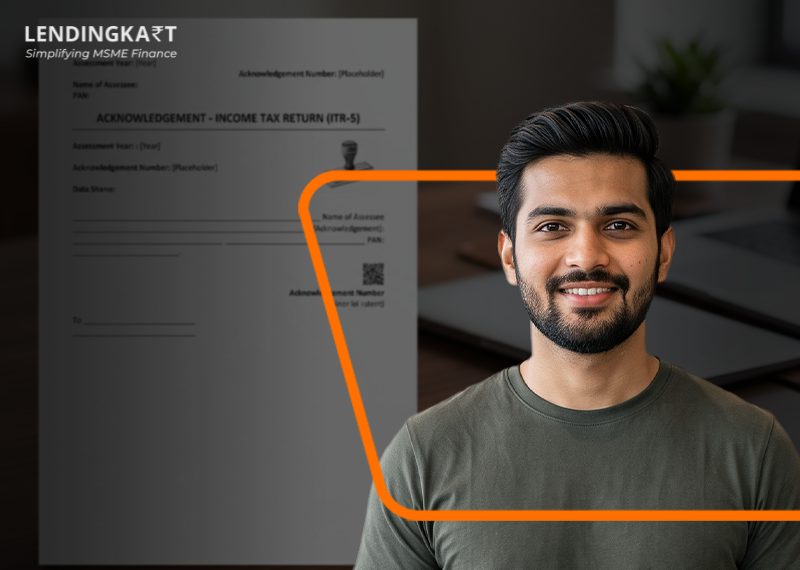
ITR-V, or Income Tax Return-Verification, is the one-page acknowledgement the tax department generates after you file your return online without a digital signature. You download your Income Tax Acknowledgement from the e-filing portal, open it with a password made of your PAN and date of birth, and then verify it within 30 days. Miss that window, and the return is treated as though it were never filed at all.
Keeping this process in order matters for more than just compliance. Clean, verified tax records are often the baseline lenders look for before extending business credit. Here’s everything you need to actually get it done without hitting a snag.
What Exactly is Form ITR-V?
Form ITR-V stands for Income Tax Return Verification. It’s a single-page receipt issued by the Income Tax Department’s portal whenever a return is filed electronically without a digital signature certificate.
The document itself is simple to follow. You first file a return, which triggers the ITR-V. From there, you have 30 days to verify it, either electronically through Aadhaar OTP or net banking, or by post through a signed physical copy. Only once that verification is complete does your filing move to a compliant, fully processed status.
This form summarises your reported gross income, the deductions claimed, your net tax liability, and the taxes already paid. It serves as your primary acknowledgement of filing, but it becomes an admissible financial record only once verification is completed.
How to Download ITR Acknowledgement?
You can download ITR acknowledgement directly from the e-filing portal after submitting your return. The portal keeps a record of every past and present filing, so retrieving the document is fairly quick:
- Log in to the Income Tax e-Filing portal using your PAN card as your User ID and your password.
- Go to ‘e-File ‘, then ‘Income Tax Returns’, and then click on ‘View Filed Returns’.
- Locate the assessment year you need from your filing history.
- Click ‘Download Receipt’ to save the password-protected PDF to your device.
That’s the entire process. No professional assistance is required at this stage, though it’s still worth having an accountant review more complex filings before submission.
What’s the Password to Open the ITR-V PDF?
The ITR-V file is password-protected, and the password is a combination of your PAN and your date of birth. Specifically, the password format is:
- Your PAN number in lowercase, followed immediately by
- Your date of birth in DDMMYYYY format
For example, if your PAN is ABCDE1234F and your birth date is 15 August 1990, your password would look like abcde1234f15081990. There’s no room for uppercase letters, spaces, or punctuation.
If it still won’t open, double-check for typing errors, confirm you’re using the PAN linked to that specific return, and try downloading the file again, as errors due to corrupted files are common.
How Do You E-Verify Your ITR After Downloading It?
You e-verify your ITR by generating a verification code through your Aadhaar OTP, net banking, a bank account, a Demat account, or a bank ATM to complete your filing.
- Aadhaar OTP: Select the Aadhaar-based option on the e-Verify page, agree to validate your details, and enter the OTP sent to your Aadhaar-linked mobile number.
- Net banking: Choose your bank, log in through net banking, and locate the e-verify option, usually under the ‘Tax’ tab.
- Bank account EVC: Generate an Electronic Verification Code through a pre-validated bank account. The code is sent to your linked mobile number and email.
- Demat account EVC: This works the same way as the bank account method, just routed through your Demat account instead.
- Bank ATM: A handful of banks, such as Axis, Canara, Central Bank of India, ICICI, IDBI, Kotak Mahindra, and SBI, let you generate an EVC by swiping your ATM card and selecting the tax-filing option.
Once you’ve generated your code, head to the e-verify returns tab, select the appropriate option, enter the code, and confirm.
What Happens if You Miss the ITR-V Deadline?
Missing the 30-day verification window renders your filed return invalid, as if you never filed it at all. If you verify after 30 days, the e-verification date becomes your new filing date, which can trigger late-filing penalties depending on the original due date. Verification isn’t a formality you can circle back to later. It’s what makes your filing legally complete.
If you’re sending a physical copy by post instead of verifying online, remember the date CPC Bengaluru receives your signed ITR-V is the date that counts, not the date you mailed it.
Can You Download ITR-V for Previous Years?
You can download ITR acknowledgements and ITR copies for previous assessment years through the same ‘View Filed Returns’ section on the portal.
Just log in, navigate to ‘e-file’ > ‘Income Tax Returns’ > ‘View Filed Returns’, and you’ll see every return you’ve filed, along with its processing status. Click ‘Download Form’ next to the relevant year to get the ITR itself, which also shows whether there’s an outstanding demand or refund pending against that filing.
This comes in handy, as banks, loan applications, and visa processes regularly ask for ITR copies dating back 2 to 3 years.
Read More: ITR Filing Last Date FY 2025-26 (AY 2026-27)
Conclusion
Getting your ITR-V sorted is genuinely simple once you know the sequence: file, download, unlock with your PAN and birth date, then verify within 30 days. Skip any part of that chain and your filing effort goes to waste, no matter how accurate your return was.
Timely verification is especially important for small business owners juggling GST filings, loan documentation, and tax compliance all at once. Lenders, credit teams, and underwriters all rely on clean, verified income tax acknowledgements as a baseline check before extending credit.
At Lendingkart, we understand that reality well. As a digital lending platform built for business owners who don’t have time to chase paperwork, we offer a 100% digital application process from start to finish. You can avail collateral-free business loans with minimal documentation, quick approval, and easy repayment options built around your cash flow.
For business owners who’ve just verified their ITR and are now thinking about working capital, growth funding, or bridging a seasonal gap, Lendingkart turns that verified financial history into fast, accessible credit.
Frequently Asked Questions
- What penalties apply if the 30-day verification deadline is missed?
Missing the 30-day window renders your filed return invalid. Your filing date shifts to the day you actually verify, which can bring late fees under Section 428 (previously Section 234F) along with interest on any outstanding liability.
- Can authorised third parties download the verification document?
Yes. External professionals or consultants can access it using your e-filing login credentials or an official e-Return Intermediary (ERI) account linked to your PAN.
- Is physical postage necessary if the portal already shows successful electronic verification?
No. A successful electronic verification removes the need to print or mail anything. The portal updates your status instantly, and the filing is legally complete at that point.
- Is ITR-V the same as my income tax return?
No. ITR-V is only the acknowledgement confirming that a return was filed. The ITR form itself holds the full details of income, deductions, and tax liability.
- Do you need an ITR-V if you filed your return with a digital signature?
No. ITR-V is only generated when you file without a digital signature or without completing instant e-verification. DSC-based filings are automatically verified.
Related Articles
How to change address in Aadhar card
Aadhaar se Pan Card Kaise Download Kare