From daily transactions to important verifications, Aadhaar has quietly become a part of how we navigate modern life. With increasing digital interactions, the Aadhaar new app makes the identity verification easier, making daily services more convenient and user-controlled. Let’s see what makes it useful and how you can start using it.
What is the New Aadhaar App?
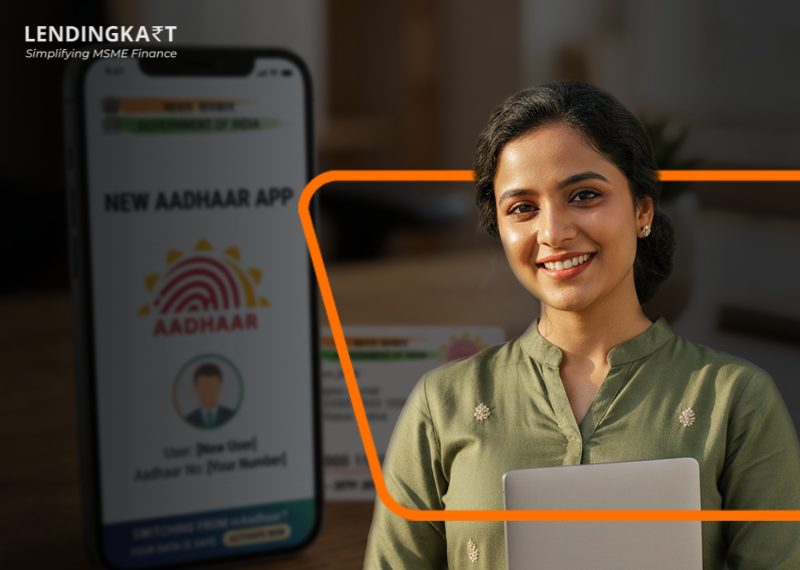
As Aadhaar verification changes, so does the management of your digital identity. The Aadhaar app by UIDAI is the revised mobile app for users who want to safely store, validate, or share Aadhaar details on their smartphones.
Built with a privacy-first approach, Face Authentication, QR code-enabled verification, and consent-based information sharing allow individuals to verify their identity quickly while sharing only the information required for a specific use case.
Eventually, the existing mAadhaar app will be replaced by the new Aadhaar app, providing you with a faster, more secure and smoother digital verification experience.
Why Did UIDAI Launch the New Aadhaar App?
With Aadhaar’s widespread use across banking, travel, and government services, there was an increasing need to improve the way identity verification was done in a more user-controlled manner.
The UIDAI rolled out the new Aadhaar app on 28 January 2026 as part of its effort to modernise digital identity management in India. The goal was to modernise digital identity management and make Aadhaar-based verification more aligned with today’s privacy expectations and digital-first services.
What are the Main Features of the UIDAI New Aadhaar App?
The new Aadhaar app introduces tools that allow users to manage and verify Aadhaar digitally.
Here are some of its standout features:
1. Face Authentication
Forget remembering passwords or relying solely on OTPs. The application verifies your identity using Face Authentication, which speeds up and improves the security of the authentication process for services it supports.
2. QR Code-Based Verification
Instead of carrying photocopies of Aadhaar, you can generate a secure QR code, which is scanned by authorised bodies to verify your identity on the spot. It enables faster paperless verification and less sharing of hard copies.
3. Consent-Based Data Sharing
One of the biggest upgrades with the UIDAI new Aadhaar app is the privacy-first approach. You get verified and choose which Aadhaar details, such as your name, photograph or address, you want to share. Only the necessary information is shared.
4. Digital Aadhaar on Your Smartphone
With this app, you can carry your Aadhaar wherever you go without the physical card. It securely stores your digital Aadhaar, making daily identity verification more convenient.
5. Biometric Lock and Unlock
Protect yourself from all forms of identity theft. The UIDAI’s new Aadhaar app also gives you the option to lock and unlock your Aadhaar biometrics for additional security.
6. Authentication History
Want to know when your Aadhaar was used? The app allows you to view your authentication history, helping you keep track of your Aadhaar-based verification activities.
7. Managing Multiple Aadhaar Profiles
The app enables multiple Aadhaar profiles on a single device for eligible family members, making it easier to manage digital identities without having to switch between devices.
8. Access Aadhaar Services with Ease
The new Aadhaar app offers access to certain Aadhaar-related services in addition to digital verification; as the platform develops, more features are anticipated to be added.
What Benefits Does the New Aadhaar App Offer?
By combining convenience with stronger privacy controls, it makes everyday verification simpler and more secure.
Here are some of the key benefits users can expect:
- More Control Over Your Data: Choose which Aadhaar details you want to share, making it easier to protect your privacy while verifying.
- Speedier everyday transactions: Spend less time on identity checks when you’re completing KYC, accessing services, or verifying your identity.
- Fewer Documents: No need to carry or submit physical copies of Aadhaar for supported services.
- Greater Peace of Mind: Digital verification is made more secure by built-in privacy and security features.
- Ready for a Digital-First India: As more organisations adopt digital verification, the app makes accessing services easier and more seamless.
Where Can You Use the New Aadhaar App?
The new Aadhaar app can be used for Aadhaar-based identity verification across a growing number of services where organisations support the new UIDAI verification system.
- Banking and digital KYC
- Business and personal loan applications
- Hotel check-ins
- SIM card verification
- Government services
- Healthcare registrations
- Educational institutions
- Supported airports and travel services
*Note: As the UIDAI new Aadhaar app is being rolled out in phases, its availability may vary depending on the organisation and service provider.*
How to Download the New Aadhaar App?
Getting the new Aadhaar app on your smartphone is simple. To safely download the official app, follow these steps:
- Download the app on your smartphone via the Apple App Store or the Google Play Store
- Search for the official ‘Aadhaar’ app launched by UIDAI
- Before downloading, confirm that the publisher listed is UIDAI to ensure you are installing the official app
- Tap ‘Install’ and let the app download
Quick Tip: Always download the app from the official app stores. Avoid downloading APK files or apps from third-party websites.
How to Set Up the New Aadhaar App?
Once the app is installed, you’re just a few steps away from using its digital identity features.
Step 1: Open the app and review the permissions it requests.
Step 2: Verify your Aadhaar mobile number linked as per the on-screen instructions
Step 3: Complete the authentication process if prompted to access your Aadhaar profile
Step 4: Turn on features such as Face Authentication or other biometric controls, if available
Step 5: You’re ready! Now you can use the app for supported Aadhaar verification and other digital services
*Note: Some features may be introduced gradually as the UIDAI new Aadhaar app continues its phased rollout.*
How is the New Aadhaar App Different from the mAadhaar App?
While both apps are developed by UIDAI to provide Aadhaar-related digital services, the new Aadhaar app is designed with a stronger focus on privacy, seamless verification, and user control.
| Feature | New Aadhaar App | mAadhaar App |
| Face Authentication | Available | Limited support |
| Consent-based data sharing | Users control what information is shared | Not available |
| QR code-based verification | Secure and streamlined | Basic QR functionality |
| Digital identity sharing | Paperless and consent-driven | Limited |
| Biometric lock/unlock | Available | Available |
| Multiple Aadhaar profiles | Supports eligible family members | Limited support |
| Privacy controls | Advanced | Basic |
For official updates and Aadhaar-related services, users should rely on UIDAI’s official website and the myAadhaar portal.
How Can You Use the New Aadhaar App Safely?
A few simple precautions can help you make the most of the new Aadhaar app while keeping your personal information secure.
- Download only the official UIDAI app from the Google Play Store or Apple App Store
- Never share your OTP or authentication credentials with anyone
- Lock your Aadhaar biometrics when they’re not required
- Keep the app updated to access the latest security improvements
- Share only the information required during Aadhaar verification
- Secure your smartphone with a PIN, password, or biometric lock
Read More: mAadhaar App Discontinued: How to Use the New Aadhaar App
Moving Towards Smarter Digital Verification
The new Aadhaar app is a step towards making identity verification faster, more secure, and privacy-focused. With features like Face Authentication, QR code verification, and consent-based data sharing, it simplifies how users access everyday services while giving them greater control over their personal information.
As digital verification becomes an integral part of financial services, it can also simplify the borrowing journey for businesses. At Lendingkart, we understand that entrepreneurs value speed and convenience, which is why we aim to keep the business loan journey digital and simpler, helping eligible MSMEs reduce paperwork and access financing more efficiently.
FAQs
- What is the new Aadhaar app?
The new Aadhaar app is the latest mobile app from UIDAI, offering secure digital identity verification, Face Authentication, QR-based Aadhaar sharing, and privacy-centric Aadhaar services.
- Is the new Aadhaar app replacing mAadhaar?
The new Aadhaar app is expected to be launched by UIDAI in a phased manner, and users are advised to start using the new app as the mAadhaar app will be phased out gradually.
- Is the new Aadhaar app free to use?
Yes. The app is available free of cost for Android and iOS users.
How do I download the UIDAI new Aadhaar app?
You can download it from the Google Play Store or the Apple App Store by searching for the official Aadhaar app published by UIDAI.
- Can I use the new Aadhaar app for KYC?
Yes. The app also features secure digital identity verification, which speeds up the KYC processes for participating organisations.
- Does the app allow selective sharing of Aadhaar details?
Yes. Users have the option to share only the information that is required for a particular verification, instead of disclosing full Aadhaar details.
- Is Face Authentication mandatory?
Face Authentication is used for registration and supported verification services depending on the use case.
- When was the new Aadhaar app launched?
On January 28, 2026, UIDAI launched the new Aadhaar app for enhanced digital identity security and user control.
Related Articles
How to change address in Aadhar card
MSME Sector Challenges in India
Government Loan Schemes for Women Entrepreneurs